An open, portable pattern format for moving compatible stitching data between apps.
 StitchHub
Import stitching formats when the goal is to open an existing pattern and work with it inside the app. OXS carries open, compatible pattern data, while XSD and PAT open charts made in Pattern Maker and PC Stitch. Each of these arrives as a full digital pattern, with its palette, symbols and stitch types intact. A PDF chart comes in as well, and it is the one that needs preparing first: a one-time setup reads the grid and the symbols, so you mark your progress on the chart itself rather than on a printout. Vector charts read best, and scans take more patience.
An open, portable pattern format for moving compatible stitching data between apps.
Supported stitching pattern files created in HobbyWare Pattern Maker.
Supported stitching pattern files created in PC Stitch, versions 5–8 and 11.
Chart PDFs you already own, prepared once before you stitch on them.
Use these formats when you are exporting the pattern itself from the design side.
Best when you want a printable pattern output with chart pages and stitching reference materials.
Best when you want to stay inside the native workflow: use HUB when the goal is opening the pattern for stitching, and HUBD when the goal is reopening the design with layers and project data for editing.
Best when you want to move pattern data in an open, XML-based format that can be understood by compatible cross-stitch software.
Generate printable chart pages, detailed reference sheets, and practical materials you can keep next to your hoop.
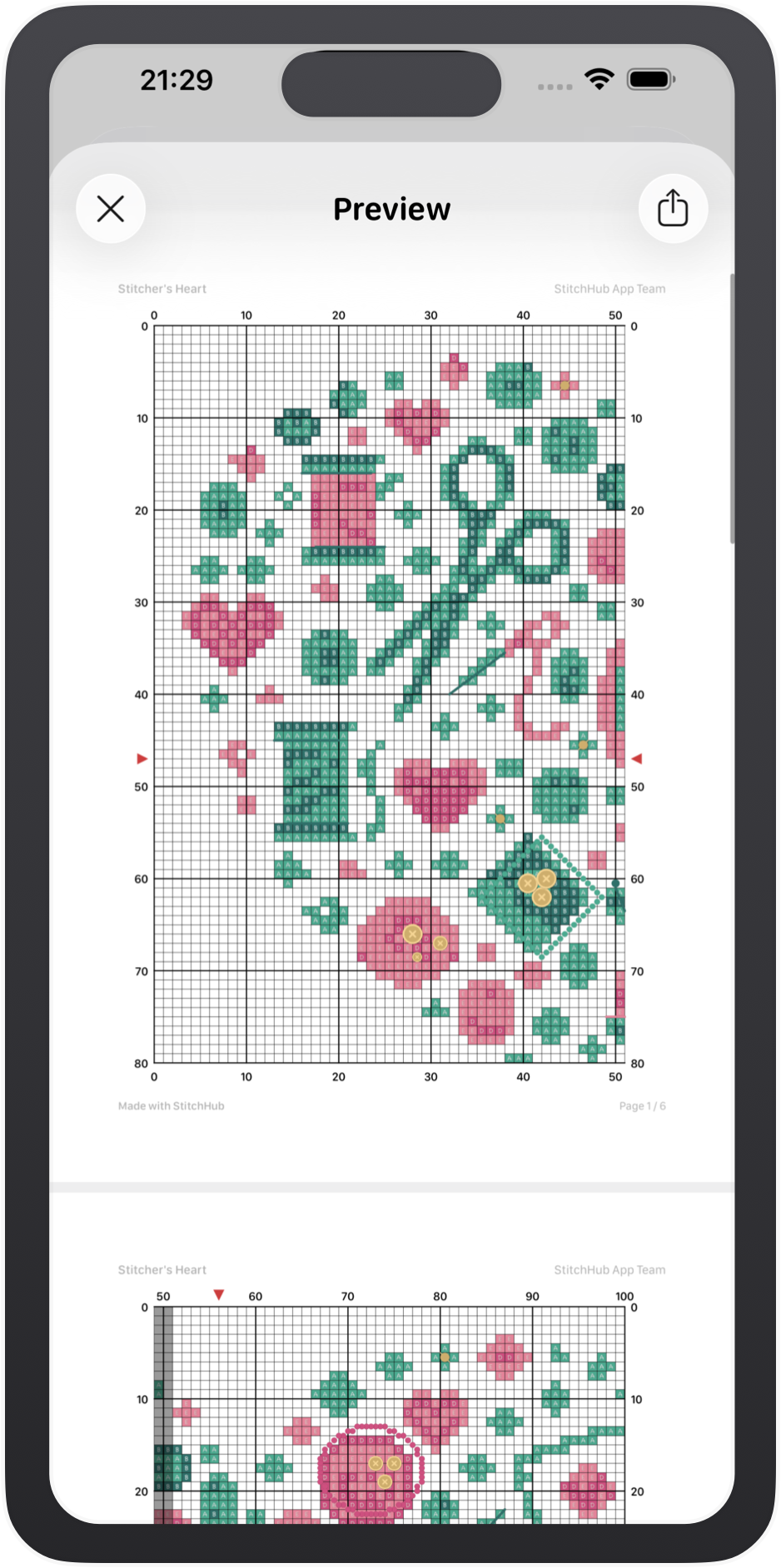
Printable chart pages with symbols, colors, grid and page structure for stitching from paper or tablet.
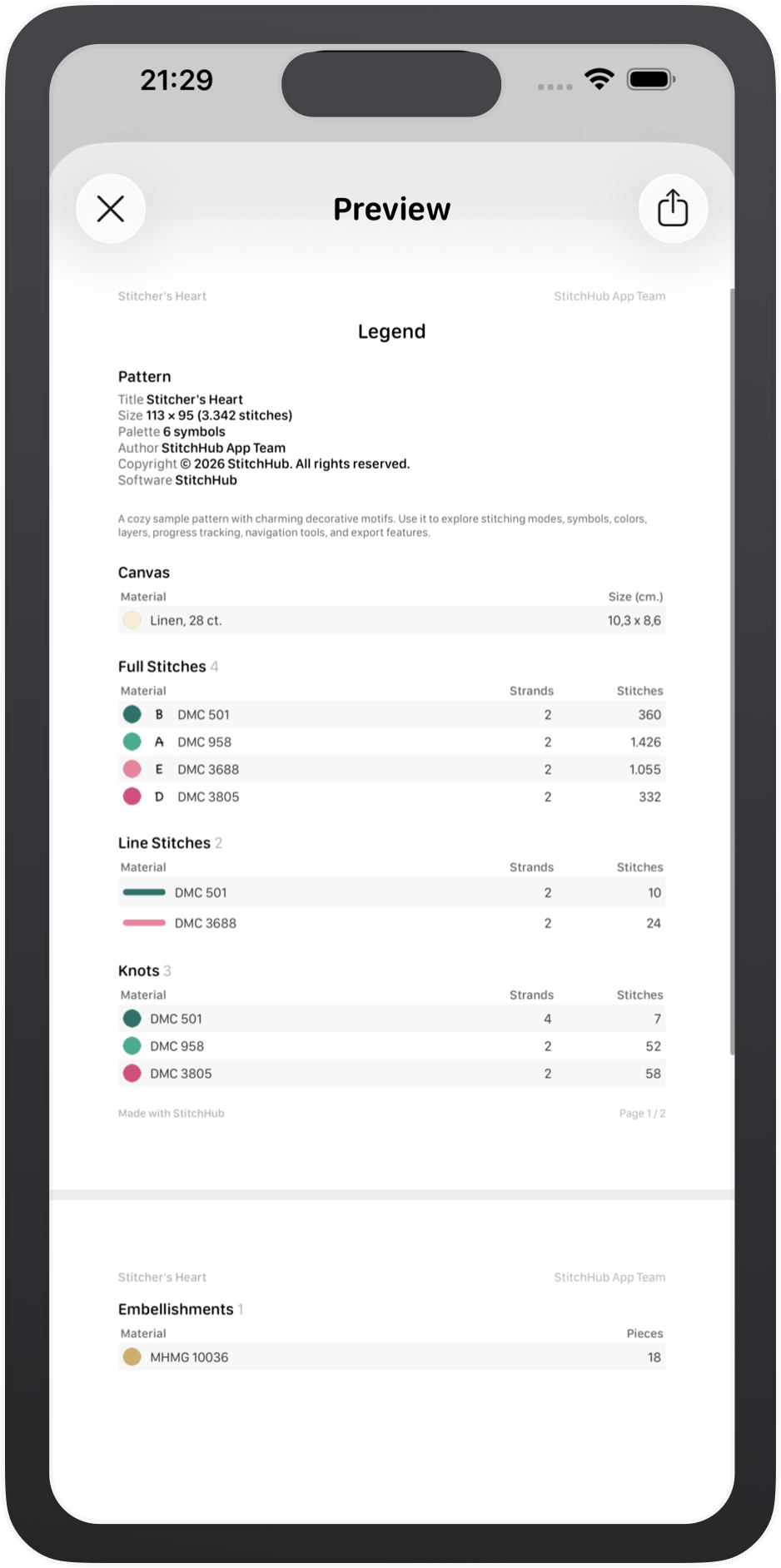
Pattern information, symbol key, stitch counts and material details in one clear reference sheet.
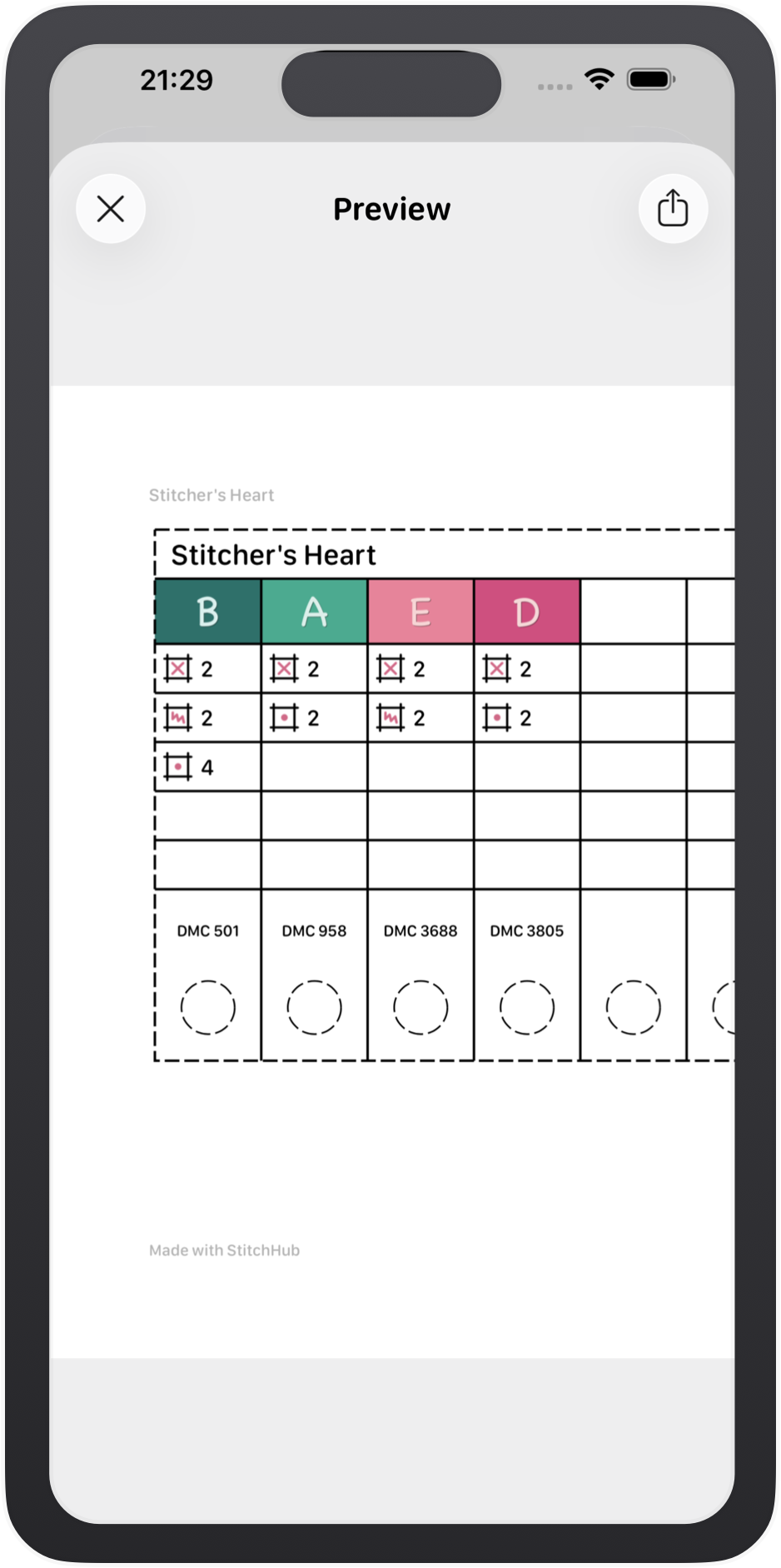
A practical thread organizer sheet with symbols, thread codes and color blocks ready for real use.
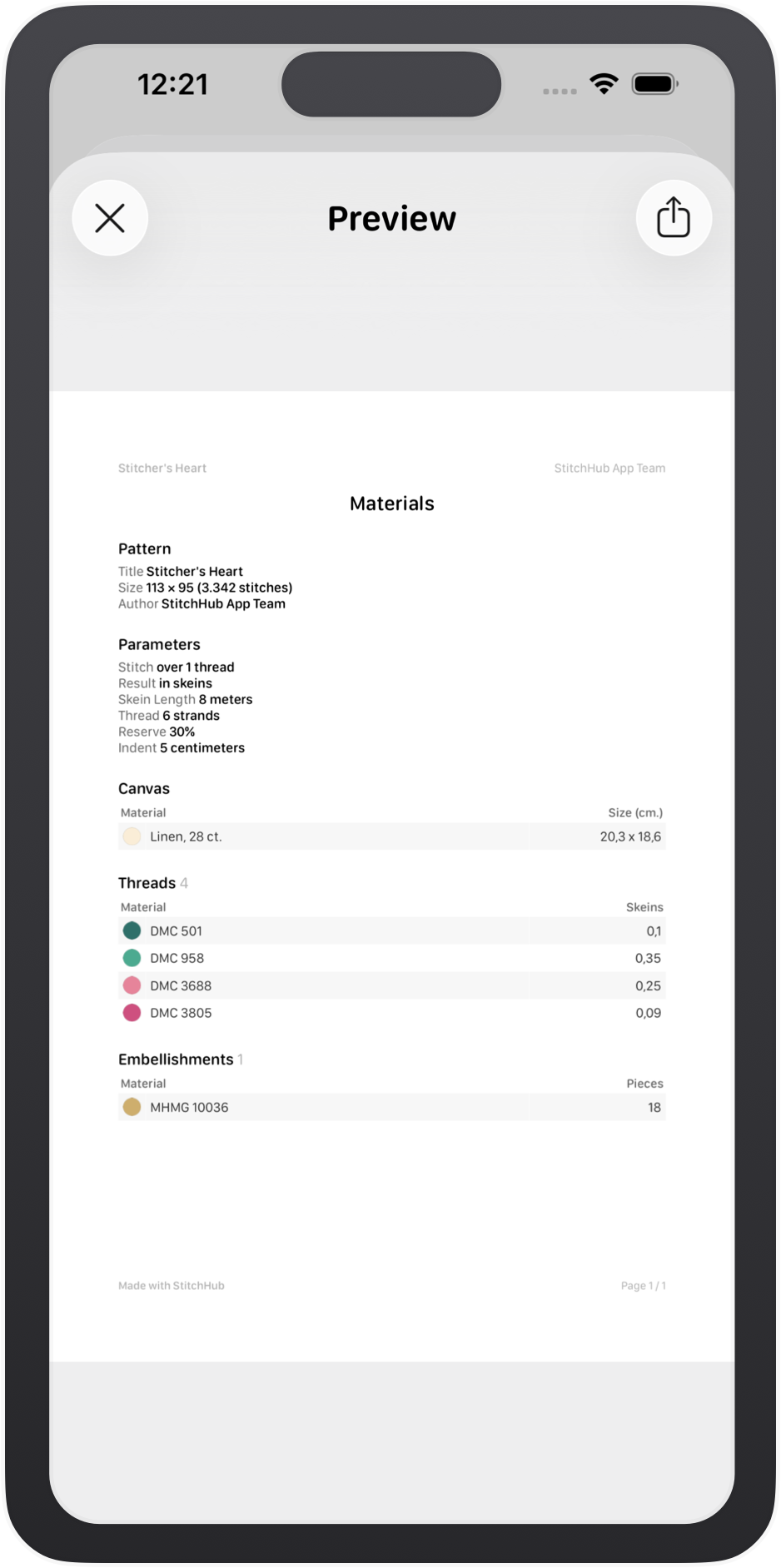
Export thread and material usage summaries to keep project planning and stitching details close at hand.
OXS is an open cross-stitch format created to make pattern exchange between compatible apps easier. Use it when you want to keep the design portable instead of locking it into one app.
OXS is exported as a compatibility format for sharing patterns with other supported apps. It focuses on the chart data that matters for exchange, while keeping the file clear, structured, and practical to reuse.
When standard OXS is not enough to preserve important pattern detail, a small number of compatibility-friendly extensions are added on top of the base format.
Under the hood, OXS is stored as XML. That makes the structure readable, explicit, and flexible enough for compatible apps to import the parts they support while ignoring extra fields they do not use.
<chart>
  <properties chartwidth="113" chartheight="95"
    palettecount="5" charttitle="Stitcher's Heart"
    software="StitchHub" software_version="1.4" />
  <palette>
    <palette_item index="0" number="Fabric"
      name="Fabric" color="FAEDD7" />
    <palette_item index="1" number="DMC 501"
      name="DK Blue Green" color="2F706A"
      symbol="1" strands="2" bsstrands="2"
      knotstrands="4" />
    <palette_item index="3" number="DMC 3688"
      name="MD Mauve" color="E6849A"
      symbol="4" strands="2" bsstrands="2" />
  </palette>
  <fullstitches>
    <stitch x="56" y="31" palindex="2" />
    <stitch x="69" y="40" palindex="3" />
  </fullstitches>
  <backstitches>
    <backstitch x1="38" y1="35.5" x2="32" y2="40"
      palindex="1" objecttype="backstitch" />
    <backstitch x1="65" y1="60" x2="62" y2="67"
      palindex="3" objecttype="backstitch" />
  </backstitches>
</chart>
PDF, OXS, HUB and HUBD are the main format choices, but they are not the only outputs available when preparing or sharing a pattern.
Useful when you need a scalable vector export for additional editing or presentation workflows.
Helpful when you want a presentable first page or a visual summary for sharing the design.
Separate reference materials make it easier to keep chart pages cleaner during stitching.
Printable organizer layouts for threads, palette symbols and project info.
A simple text version of your materials list for copying, sharing or keeping outside the app.